
A mini PC is the sweet spot for self-hosting game servers — small enough to tuck out of sight, quiet enough to run 24/7, and cheap enough on power draw that it won’t spike your electricity bill. Here’s how to pick the right one depending on what and how many games you plan to host.
What Actually Matters for a Game Server Mini PC
Before looking at specific picks, it helps to know what to prioritize:
- Single-thread CPU performance — Most game servers (Minecraft Java especially) are bound more by per-core speed than total core count. A CPU with strong boost clocks will outperform one with more cores but weaker single-thread speed.
- RAM — 16GB is the practical sweet spot for hosting a handful of game servers simultaneously. 8GB works for a single lightweight server, but headroom matters once you add mods or multiple games.
- Storage — NVMe SSDs matter more than raw capacity for most game servers; fast read/write speeds reduce world-loading lag and chunk generation stutter.
- Networking — A 2.5GbE port is a nice-to-have but not essential for most home setups; a stable connection matters more than raw port speed for typical friend-group server sizes.
- Expandable RAM/storage — Picking a model with upgradeable (not soldered) memory gives you room to grow instead of needing to replace the whole machine later.
Budget Tier (Under ~$350)
For a single game server (Minecraft, Valheim, etc.) hosting a small group of friends, a budget Intel N-series or entry AMD Ryzen mini PC is plenty. These typically run 16-24GB RAM and a 500GB-1TB NVMe drive, and comfortably handle one or two lightly-modded servers at once.
Good for: First-time self-hosters running one or two game servers for a small friend group.
Mid-Range Tier (~$400-600)
This is where most serious self-hosters land. A Ryzen 7 or similar mid-tier chip with 32GB DDR5 RAM handles multiple simultaneous game servers (say, Minecraft + Valheim + ARK) without breaking a sweat, and leaves headroom for other self-hosted services if you want to expand later (Docker containers, a Pi-hole DNS blocker, etc.).
Good for: Hosting 2-4 games at once, modded servers, or running other self-hosted apps alongside your game servers.
Higher-End Tier ($700+)
If you’re running a busy server with a larger player count, heavy modpacks, or want serious future-proofing, a higher-end mini PC with a premium Ryzen chip, 32GB+ RAM, and multiple NVMe slots gives you real headroom. This tier starts to overlap with home lab enthusiasts running virtualization (Proxmox) alongside game hosting.
Good for: Larger communities, heavily modded servers, or combining game hosting with a broader home lab setup.
A Real-World Example
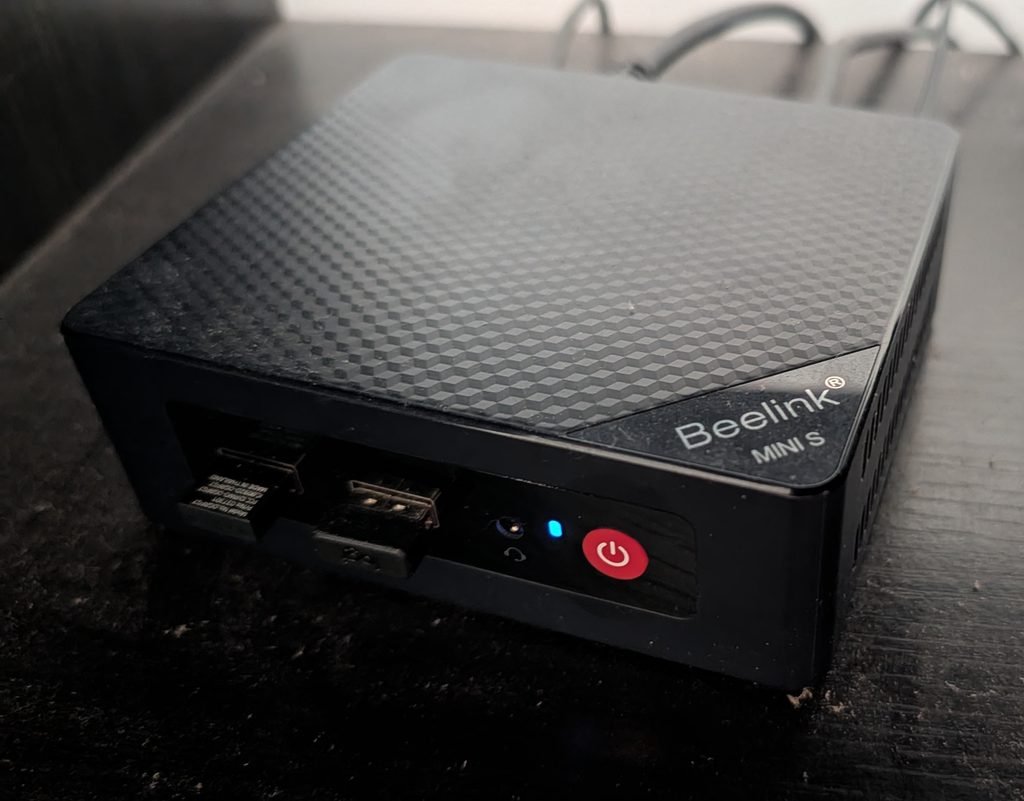
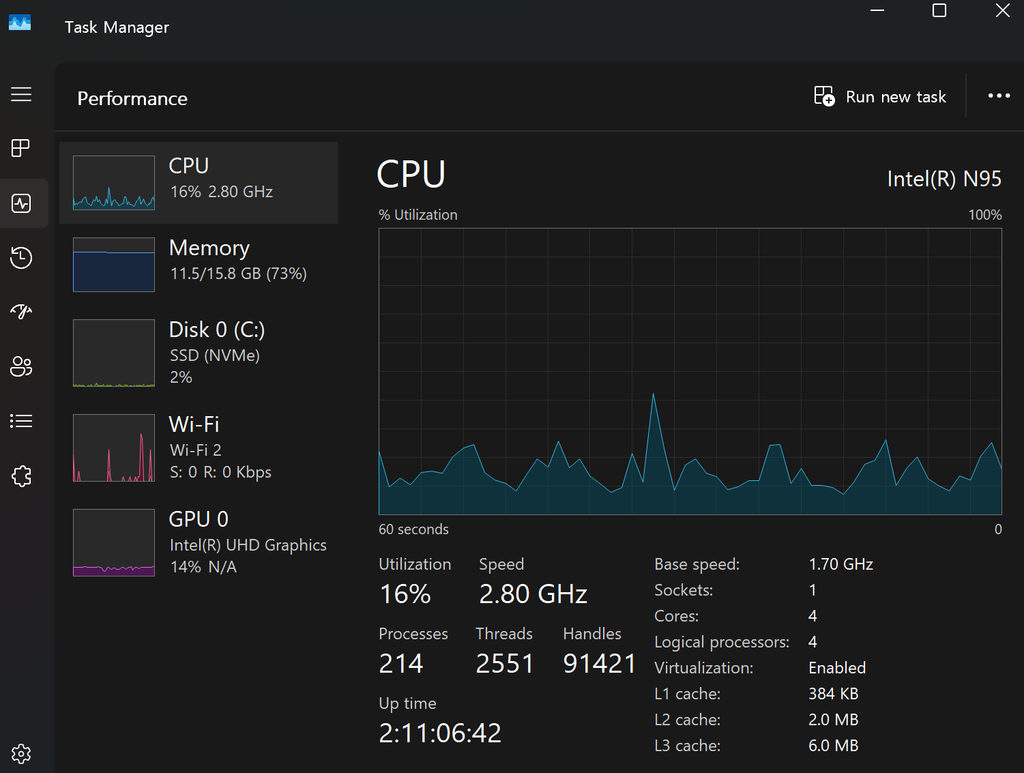
A budget mini PC (Intel N95, 16GB RAM) running Windows 11 is genuinely capable of handling more than you’d expect — this isn’t just a spec-sheet claim. The same machine shown above is currently running a Minecraft Docker server and a Factorio Docker server simultaneously, while also playing back video as a living room media PC. Under that combined load, CPU utilization sits at just 16%, though memory usage climbs to around 73% (11.5/15.8GB) — a good reminder that RAM, not CPU, is usually the first thing you’ll bump against on budget hardware once you start stacking multiple workloads.
You don’t need premium hardware to get started; you just need to match your hardware tier to how many games, players, and other workloads you’re actually planning to run at once.
Power Cost Consideration
One underrated advantage of mini PCs for game hosting: their low power draw. Compared to running a full gaming desktop 24/7, a mini PC typically costs only a few dollars a month in electricity to keep online continuously — a meaningful savings if you’re planning to leave the server running long-term.
Bottom Line
- Hosting one game for a small group? → Budget tier is plenty
- Hosting multiple games or want room to grow? → Mid-range tier is the sweet spot
- Running a busy, heavily modded, or larger community server? → Higher-end tier is worth the investment
Ready to get started? Check out our step-by-step guide to setting up a Minecraft server at home to see exactly how the setup works once your hardware is ready.
Pingback: How to Set Up a Valheim Dedicated Server (Docker Method) – The Homelab Gamer
Pingback: Docker Basics: What It Is and What You Need to Run It on Windows or Mac – The Homelab Gamer
Pingback: How Much RAM and CPU Do You Actually Need for a Game Server? – The Homelab Gamer
Pingback: How to Set Up a Factorio Dedicated Server (Docker Method) – The Homelab Gamer